Accessibility Check
Crawls a small website, checks its HTML against WCAG 2.2 and explains in plain language what to fix.
- Role
- Solo project — design, code, tests
- Year
- 2026
- Category
- Web
- Stack
- Python 3.12, asyncio, httpx, FastAPI
The problem
Since 28 June 2025 the European Accessibility Act (Directive (EU) 2019/882) applies to many services sold to consumers in the EU, including online shops. Websites have to be "perceivable, operable, understandable and robust", and the European standard EN 301 549 now points to WCAG 2.2 for the details. Very small service companies (fewer than 10 people) are exempt, but many online shops are not.
The owner of such a business usually has no idea where their website stands. A professional audit costs money, and tools like axe check one page at a time and talk to developers. I wanted a first report that a shop owner can read and hand to their web developer: what is wrong, on which page, and what to change.
The solution
- You enter the address of the site. A polite crawler reads up to 20 pages on the same site, obeys robots.txt and waits half a second after each request.
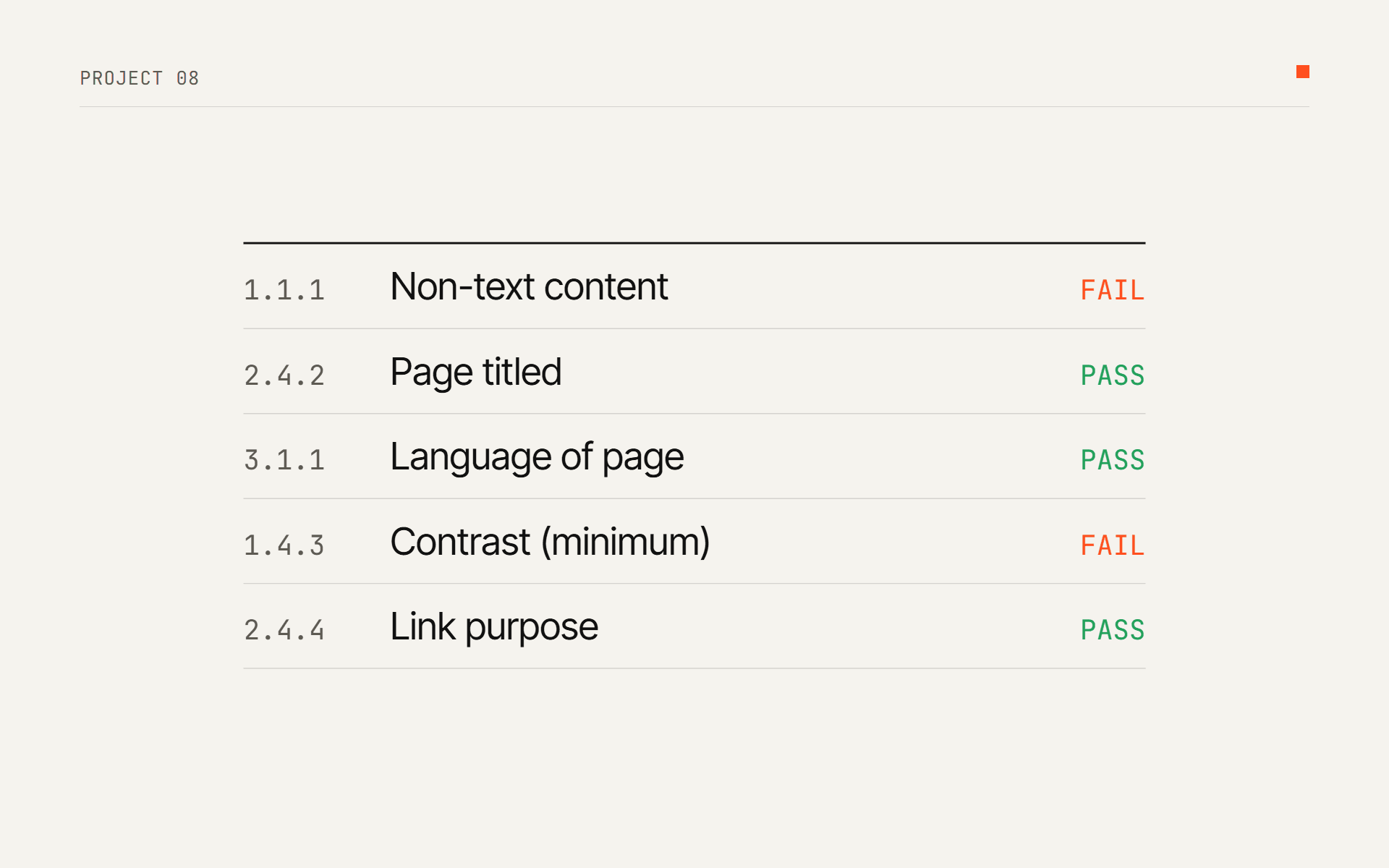
- 17 checks run on the HTML of every page: images without alt text, fields without labels, missing page titles and language, icon links and buttons without text, blocked zoom, frames without a title, autoplaying media, and colour contrast where both colours are written in the HTML.
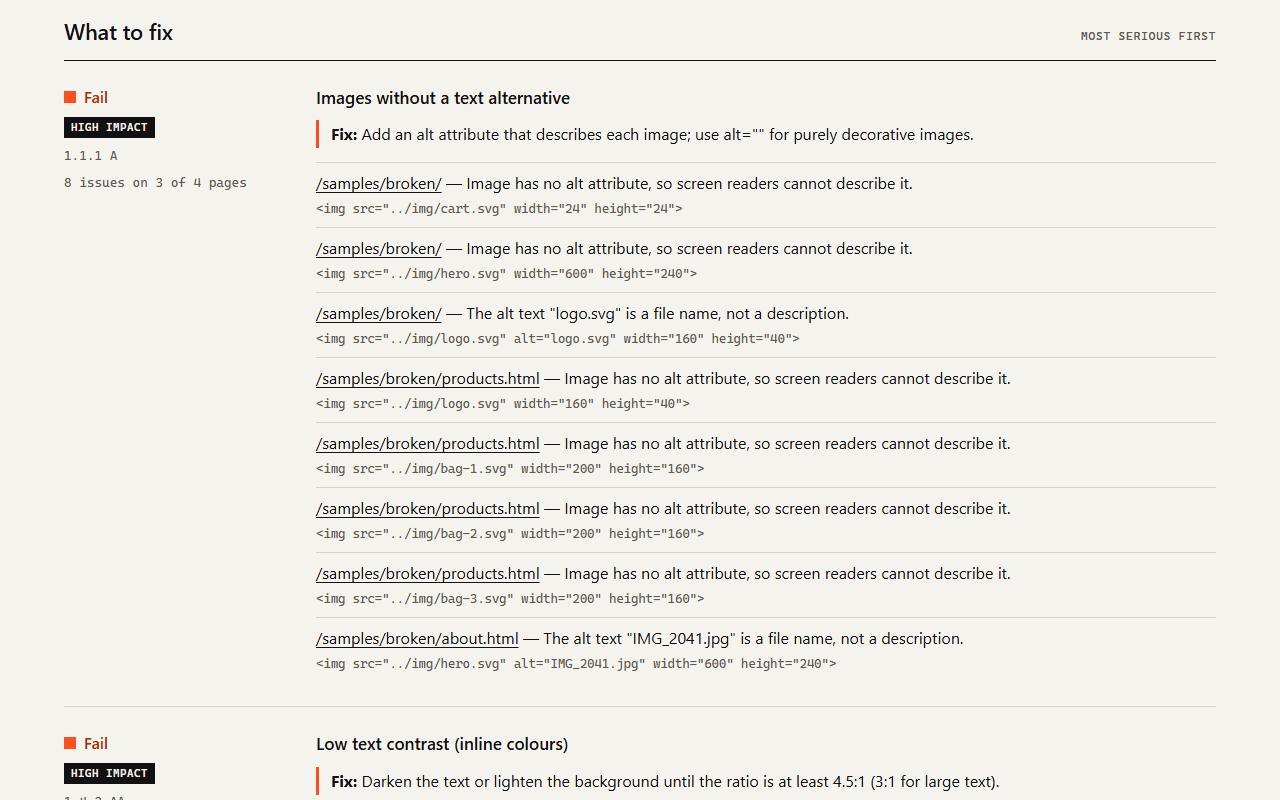
- Every finding is mapped to a WCAG 2.2 success criterion with its level, and has a one-line fix and the HTML snippet that caused it.
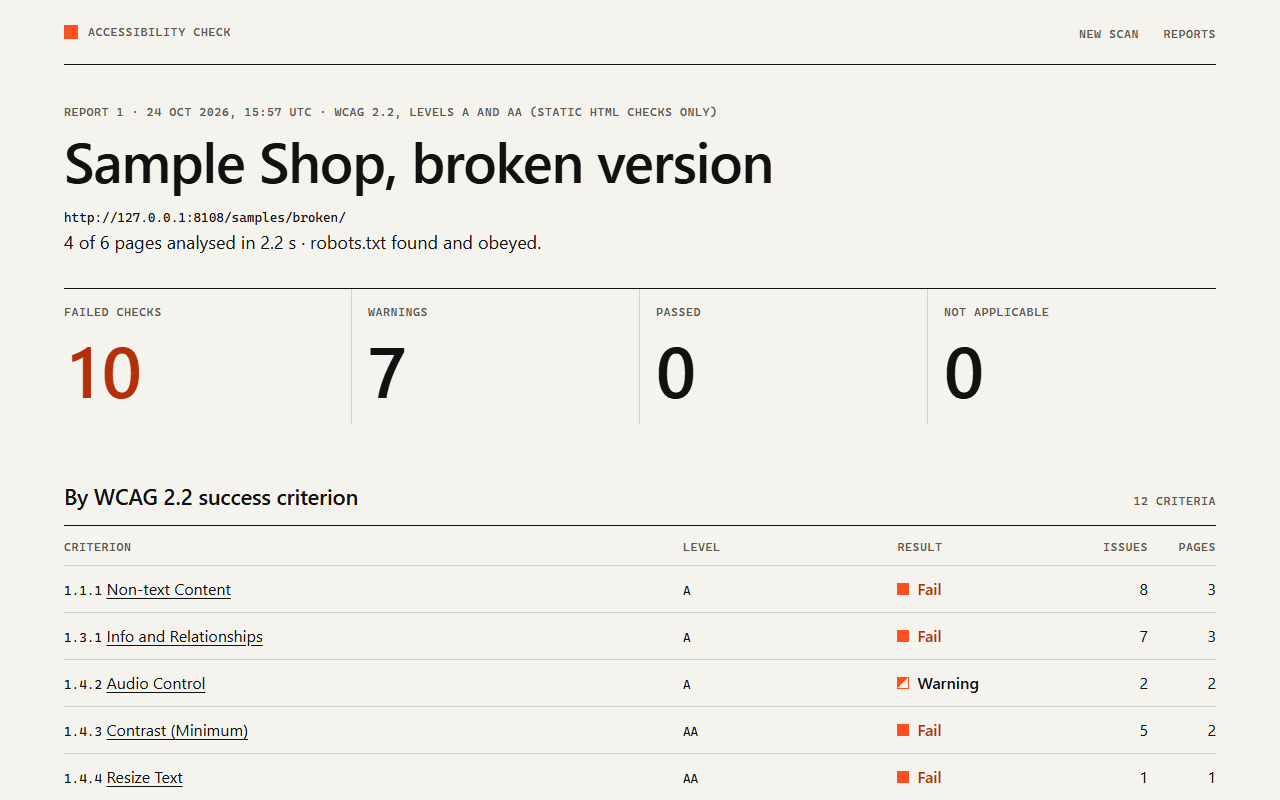
- The report shows the result per criterion, per rule and per page, and can be downloaded as one HTML file or as JSON. Reports are stored in SQLite.
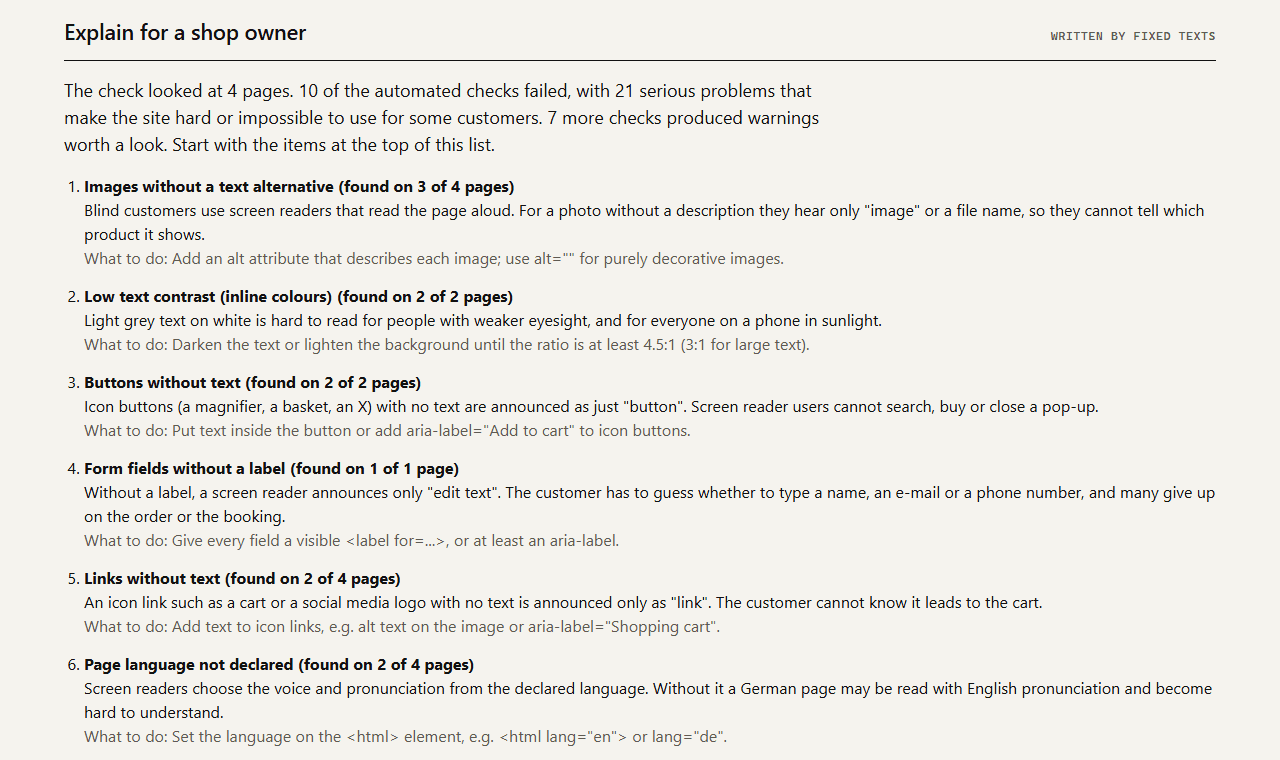
- "Explain for a shop owner" writes a plain-language summary: fixed texts offline, or Claude in English, German, Russian or Turkish.
- The report says clearly what it cannot check: rendered colours, keyboard use, focus order and real screen reader behaviour still need manual testing.
Screenshots
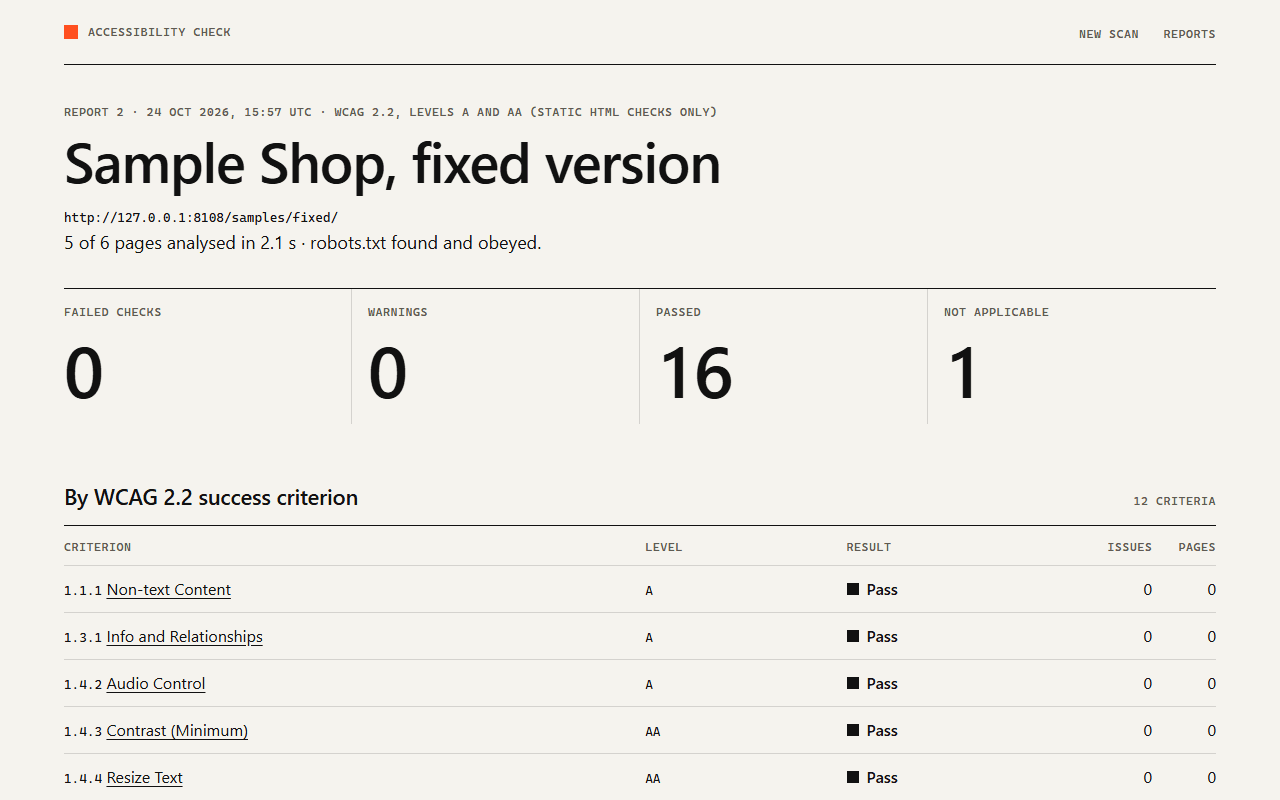
Tech stack
- Python 3.12
- asyncio
- httpx
- FastAPI
- Jinja2
- BeautifulSoup
- lxml
- SQLite
- Anthropic API
- pytest
- Docker
The crawler uses httpx and asyncio with two workers, a page limit and a pause after every
request. robots.txt is read with my own parser that follows RFC 9309, because Python's built-in
one applies the first matching line instead of the longest and ignores the * wildcard. The
HTML is parsed with BeautifulSoup and lxml. Addresses that resolve to private networks are
refused, so a public copy of the tool cannot be used to probe the server's own network.
Code highlight
The contrast check uses the WCAG 2.2 formulas directly. #777 on white comes out at 4.48:1, just
below the 4.5:1 that normal-size text needs:
def _channel(value_8bit: int) -> float:
    c = value_8bit / 255
    return c / 12.92 if c <= 0.04045 else ((c + 0.055) / 1.055) ** 2.4


def relative_luminance(color: RGBA) -> float:
    return 0.2126 * _channel(color.r) + 0.7152 * _channel(color.g) + 0.0722 * _channel(color.b)


def contrast_ratio(a: RGBA, b: RGBA) -> float:
    la, lb = relative_luminance(a), relative_luminance(b)
    lighter, darker = max(la, lb), min(la, lb)
    return (lighter + 0.05) / (darker + 0.05)
Bug I found and fixed
The home page was analysed twice, so its problems were counted twice
What broke
The first scan of my broken sample shop reported the blocked zoom on "2 pages" and a language problem on 3 pages. I had planted the zoom mistake on the home page only, and the language mistake on two pages, so the counts were wrong.
Root cause
The crawl starts at /samples/broken/, and the menu links to index.html. The server returns the
same document for both addresses. From the URLs alone the crawler cannot know that they are the
same page, so it analysed the home page twice and counted every one of its problems twice.
The fix
The crawler now hashes the HTML of every page. A page with exactly the same HTML as one already analysed stays in the list with its status code, is marked as a duplicate, and is not analysed or followed again. The same scan now reports 4 analysed pages and the right counts, and a test pins the exact number of findings for every rule.
if page.final_url != page.url and page.final_url in self._final_urls:
    page.error = page.error or f"Redirects to {page.final_url}, which is already scanned"
    page.soup = None
self._final_urls.add(page.final_url)if page.final_url != page.url and page.final_url in self._final_urls:
page.duplicate_of = self._final_urls[page.final_url]
elif page.body_hash and page.body_hash in self._hashes:
page.duplicate_of = self._hashes[page.body_hash]
if page.duplicate_of:
page.soup = None # same document: do not analyse it or follow its links again
else:
self._final_urls.setdefault(page.final_url, page.url)
if page.body_hash:
self._hashes[page.body_hash] = page.urlResult
- 208 automated tests (110 test functions): every rule with passing and failing HTML, the contrast maths against known values, and the crawler against fake websites (robots.txt, page limit, redirects, concurrency).
- The broken sample shop: 10 failed checks and 7 warnings on 4 pages. The fixed version: 16 checks pass, 0 fail. Each scan takes about 2 seconds with the polite pause.
- A real scan of my own portfolio site: 15 pages in 7.5 seconds, 0 failed checks, 13 passed, 4 not applicable (no forms, no inline colours, no frames).